Make it familiar.
The person setting things up can edit meals, add their own pictures and short descriptions, and save cooking steps. Start with the six examples or use your own favourites.

MEAL BOARD / VISUAL MEAL CHOICES
See the options. Hear about a meal. Choose a day.
A menu for the person choosing, and a plan for the person cooking.
A$12 one-off · including Australian GST
For Windows desktops and laptops using Chrome or Edge.
Not a phone or tablet app.
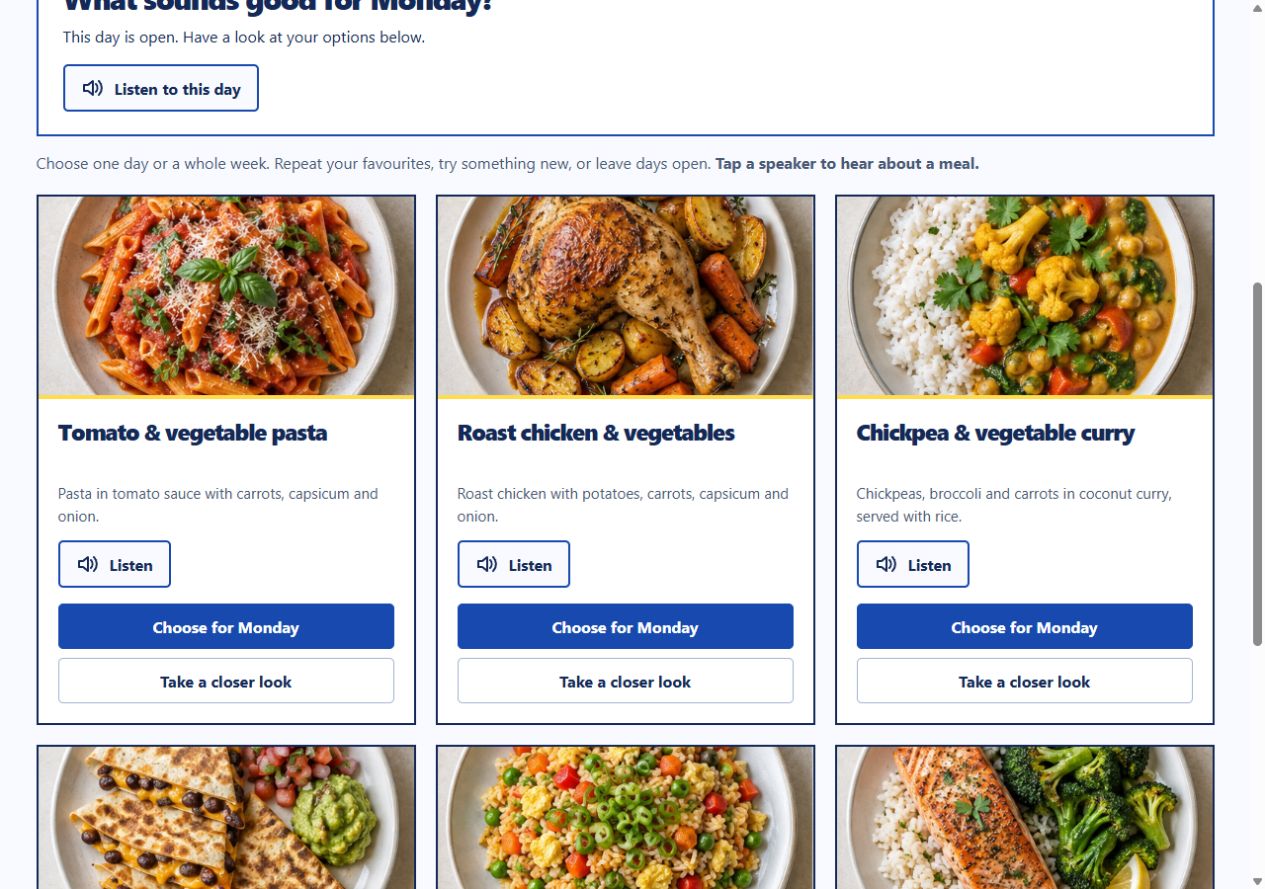
Actual product screen · sample meal illustrations
ONE TOOL. TWO SIDES OF DINNER.
For yourself, your family, or someone you support.
Choose together, with room to go at your own pace.
The person setting things up can edit meals, add their own pictures and short descriptions, and save cooking steps. Start with the six examples or use your own favourites.
The chooser sees the menu, uses Listen if helpful, and picks meals for Monday to Sunday. Repeat a favourite, change your mind or leave days open.
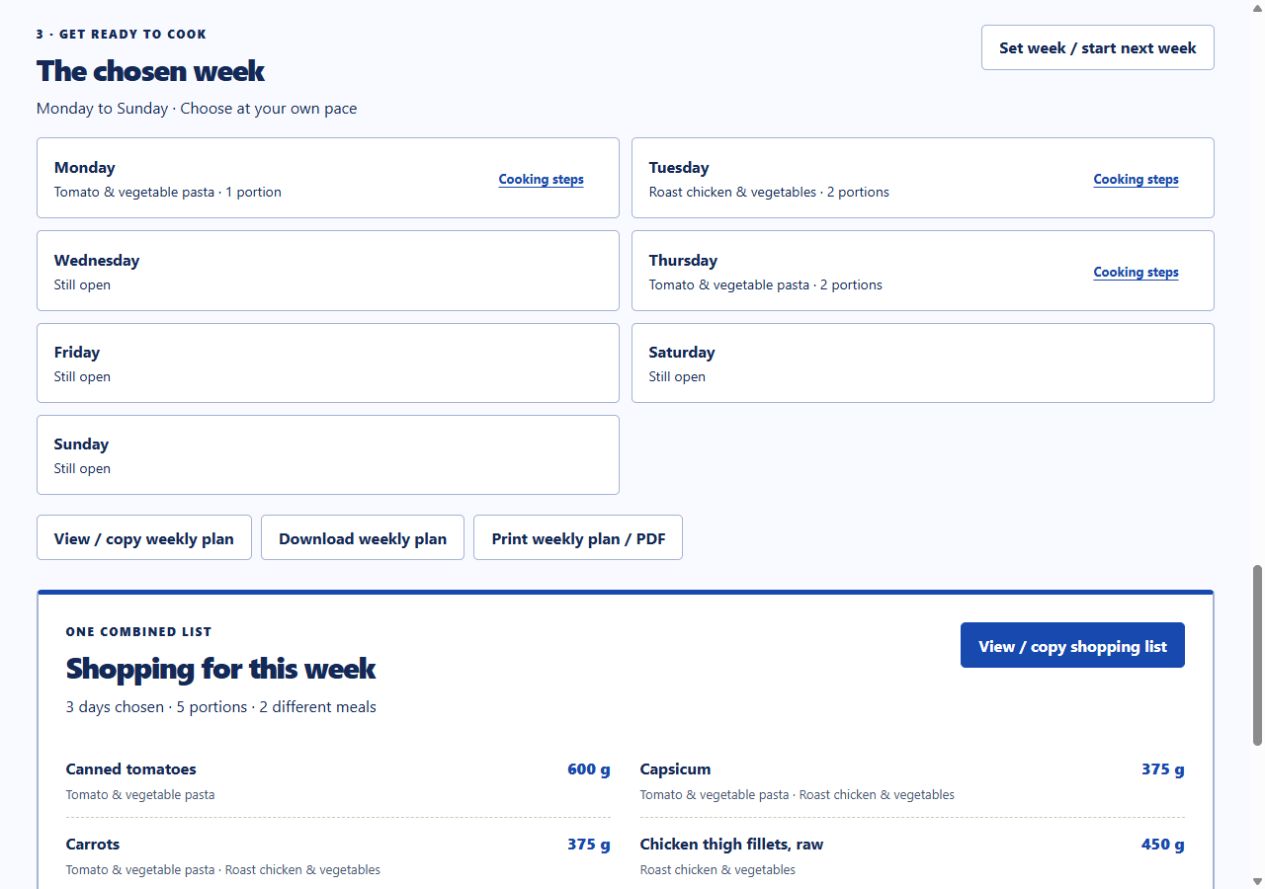
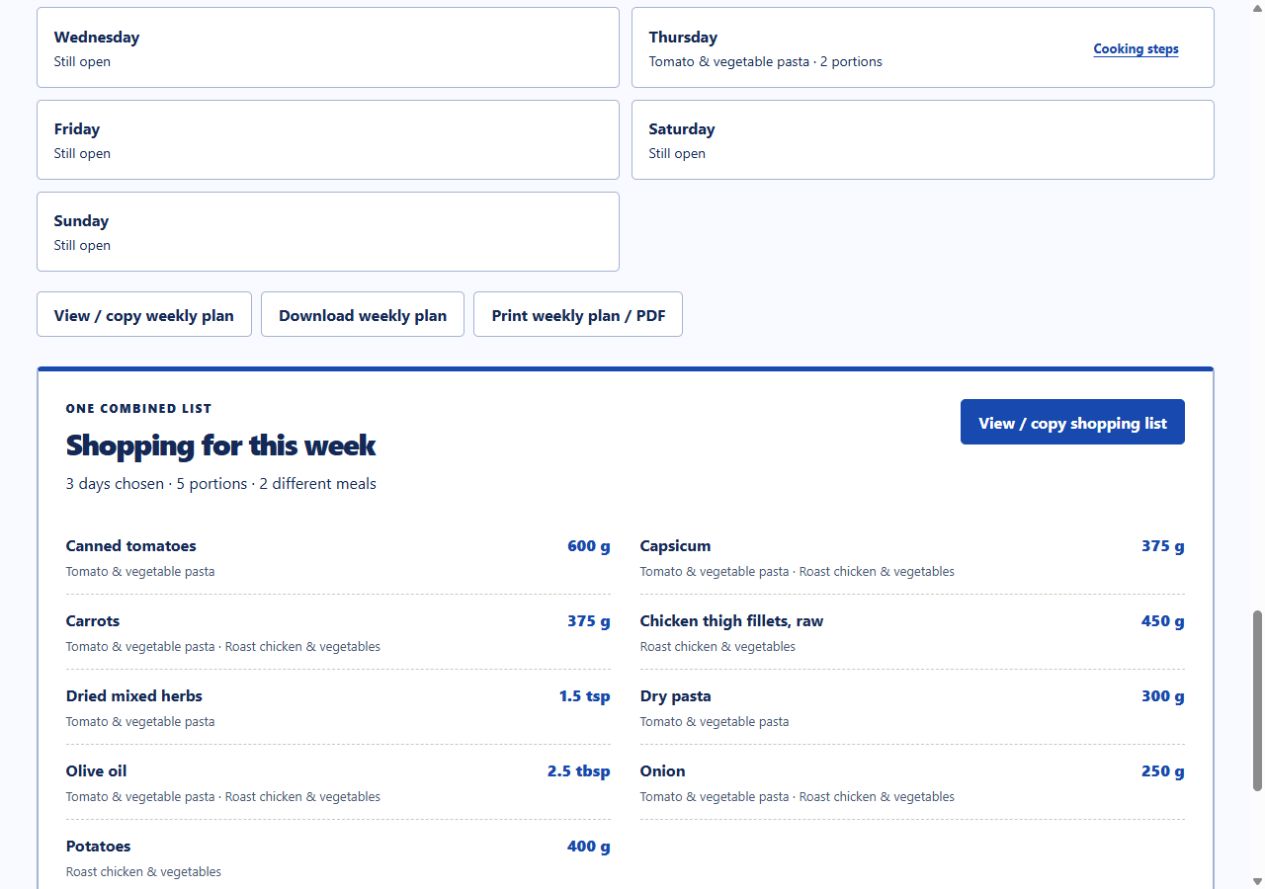
The person cooking gets the chosen week and a combined shopping list, scaled to the selected portions. Meal groups help organise options that use similar ingredients.
TAKE A LOOK INSIDE
From setting up the menu to choosing meals and making the shopping list. Watch all 2 minutes 34 seconds, with captions available.
The tutorial uses synthetic narration. Meal Board’s Listen buttons use an available voice on your device, which may sound different.
Watch directly on YouTube ↗Press play to watch here. English captions are included.
FROM “I’D LIKE THAT” TO “LET’S MAKE IT”
A FEW THINGS TO KNOW
We want you to know what you’re getting.
No surprises after you download.
You’ll receive a ZIP with the browser tool, starter meals and instructions, plus the tutorial. Use a Windows desktop or laptop with Chrome or Edge. Phone and tablet support isn’t offered.
No Meal Board account or cloud sync. It holds one current week; download backups to keep your meals and choices, and move a saved copy between devices yourself. It does not automatically share changes.
Starter meals are inspiration, not kitchen-tested recipes. Sample pictures are AI-generated illustrations. Check recipes, portions, ingredients and food requirements for the person eating.
Listen needs a compatible local voice installed on your computer. Voice availability and quality vary. You can use the visual menu without audio.
YOUR QUESTIONS
Yes. Edit the included meals, add favourites, change descriptions and cooking instructions, and use your own photos. Start small with a few familiar options.
Yes. The setup and cooking view is designed for the person helping with meals. They can prepare the menu, then use the chooser view together with the person deciding what to eat.
The licence covers your household or your own support work. You may share completed boards, plans and lists with the person choosing and their direct helpers. It does not cover organisation-wide distribution of the app or resale. Full terms are on the Payhip listing.
No. Meal Board helps communicate meal preferences and organise a plan. It does not recommend diets, assess allergies or swallowing needs, or replace individual guidance. We do not claim NDIS approval or funding eligibility.
The purchase button takes you to our Payhip product page for checkout and digital delivery. Check the device requirements and terms there before paying. For download or product help, email support@bettyindependent.com.au.